









Quick Facts
-
Where to print: The official NSA portal at gnsa.gov.gh is the only authorised source for your posting letter
-
What you need: Your NSS number and the password you created during registration.
-
Print format: Download the letter as a PDF and print it on A4 paper using a computer or laptop; mobile browsers may distort the layout .
-
Copies to print: At least two copies—one for endorsement at your workplace and one for your records .
-
What comes next: The letter must be endorsed by the institution where you are posted before you can book validation .
-
Regional posting: Your assigned region and district are printed on the letter itself; the Ghana Post GPS address you provided during registration influences the distance mapping used for placement .
What the Posting Letter Actually Is
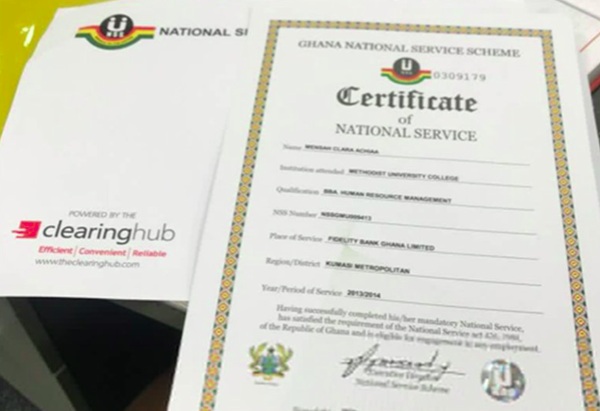
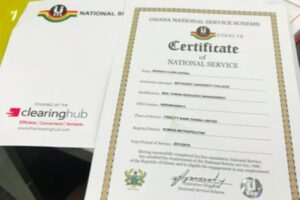
The NSS Appointment/Posting Letter is the official document that assigns you to a specific workplace for your one-year mandatory service per report by Accra Street Journal. It is not a receipt or a confirmation slip. It is the document that contains your NSS number, your name and institution, the organisation you have been posted to, the region and district of the posting, your reporting date, and a section for the institution’s endorsement .
Without this letter, you cannot be recognised as an official National Service personnel. Without the endorsement on this letter, you cannot proceed to validation. And without validation, you cannot formally begin service or receive your allowance .
Step 1: Log On to the Official Portal
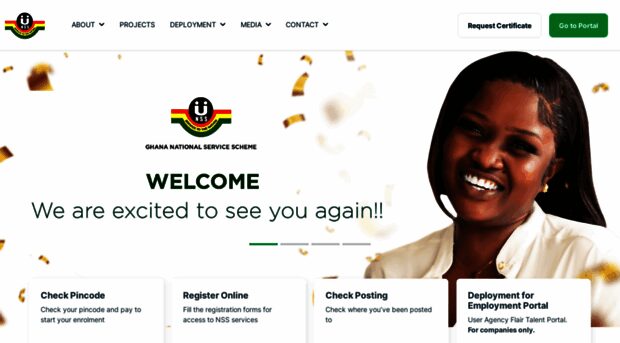
Go to gnsa.gov.gh, the official National Service Authority website . Some older guides reference portal.nss.gov.gh, but the current NSA communications direct personnel to the gnsa.gov.gh domain for posting checks and letter downloads .
Log in using the credentials from your registration—typically your NSS number as the username and the password you created . If you have forgotten your password, use the reset option on the login page.

Step 2: Locate and Download the Letter
Once logged in, navigate to the “Check Posting” or “My Dashboard” section. Your posting details will be displayed: the region, the institution, and your assigned role .
Look for the option to download or print your Appointment/Posting Letter. The letter will download as a PDF file. Save it to your device before opening it.
Step 3: Print It Properly
Open the PDF and print it on A4 paper. Print at least two copies—one to take to your workplace for endorsement, and one to keep for yourself .

Use a computer or laptop rather than a mobile phone. Mobile browsers can distort the formatting, and the letter must be clear, uncropped, and must bear the official NSS logo and barcode. A poorly printed letter can create problems at the endorsement or validation stage.
Step 4: Get It Endorsed at Your Workplace
This is the step that turns a printed PDF into a valid posting document. Take your printed letter to the institution, department, agency, or organisation where you have been posted. Present it to the appropriate official or supervisor—usually the Head of Institution or Human Resource Manager—for endorsement.
The official will sign and stamp the letter. This endorsement confirms that the institution has accepted you and that you have physically reported there . Without this signature and stamp, the validation centre will not process your registration.

Step 5: Book Validation and Attend
With the endorsed letter in hand, log back into the NSA portal and book an appointment for validation. Select an available date, time, and validation centre from the options listed .
On your scheduled date, report to the validation centre with:
-
Your endorsed Appointment/Posting Letter
-
Any other documents the portal specifies
After successful validation, distribute the validated copies: one to your place of posting, one to the relevant District Office, and one to keep for yourself .
Understanding Your Regional Posting
The region and district printed on your letter are not random. The NSA uses the Ghana Post GPS digital address you provided during registration for distance mapping and regional placement decisions, aiming to place personnel at workplaces within reasonable proximity to their stated location.
If your posting places you far from home, the letter itself is the authoritative record. Do not rely on WhatsApp rumours or unofficial lists. The portal is the source.
Common Problems and Fixes
Cannot log in. Check your NSS number and password. Use the reset option if needed. Try again during off-peak hours if the server is overloaded .
PDF will not download. Enable pop-ups in your browser, or try a different browser. Mobile browsers are more likely to fail .
Posting not showing. Postings are released in batches. If your dashboard shows “Registered – Awaiting Posting,” check back after 24–48 hours or wait for the next batch .
Name mismatch or errors. Take your Ghana Card and academic records to the NSS office for correction before proceeding. Do not attempt to validate a letter with incorrect details .
Someone offering to “help” for a fee. The process is free. The NSA does not charge for printing, endorsement, or validation. Anyone promising special placement or faster processing for money is a scammer.
Frequently Asked Questions
Where do I print my NSS posting letter?
From the official NSA portal at gnsa.gov.gh. Log in, check your posting, and download the Appointment/Posting Letter as a PDF .
What do I need to log in?
Your NSS number and the password you created during registration.
How many copies should I print?
At least two: one for endorsement at your workplace and one for your personal records .
Can I print it on my phone?
You can download it on a phone, but printing from a computer or laptop is recommended. Mobile browsers may distort the layout, and the letter must be clear and uncropped .
What is endorsement and why does it matter?
Endorsement is the signature and stamp from your assigned workplace confirming that they have accepted you. Without it, you cannot book or attend validation .
What does “regional posting” mean?
It is the region and district where you have been assigned to serve. These details are printed on your posting letter. The Ghana Post GPS address you provided during registration influences the distance mapping used for placement.
What if my posting letter has wrong details?
Do not proceed to endorsement or validation. Contact the NSS office or your institution’s NSS coordinator with your Ghana Card and academic records to correct the error first .
Do I need to pay anyone to print or validate my letter?
No. The process is free. The NSA warns against anyone charging for posting changes or validation assistance .
What to Remember
Printing your NSS posting letter is a sequence, not a single click. Log on to gnsa.gov.gh, download the PDF, print it clearly on A4, take it to your workplace for endorsement, then book validation on the portal and attend with your endorsed letter and Ghana Card.
The letter itself is the document that carries your regional posting details. The endorsement is what makes it valid. Validation is what makes your service official.
Do not skip the endorsement. Do not trust unofficial links. And do not pay anyone for a process the NSA provides for free.
Source: The Accra Daily Mail

Samuel Kwame Boadu is a Ghanaian media entrepreneur and storyteller with a passion for amplifying urban voices and uncovering everyday truths. He is the Editor-in-Chief and Founder of The Accra Daily Mail, a dynamic digital platform dedicated to capturing the pulse of Ghana’s capital—its people, culture, challenges, business, sports and innovations.